

You live in Wagholi. Perhaps you work for a multinational company in EON IT Park or Magarpatta. Currently, you are working from home. Suddenly, your screen freezes mid-sentence. As a result, if your VPN keeps disconnecting Pune, your home internet connection is actively sabotaging your career.
Often, IT professionals immediately blame their corporate IT department. They open a ticket, complain about Cisco AnyConnect or GlobalProtect, and wait days for a useless response. In reality, your company server works perfectly fine. Rather, your local apartment broadband is the real culprit.
Specifically, this guide skips the basic “restart your router” fluff. Instead, we break down exactly why Pune internet providers fail modern remote workers. Furthermore, we outline the specific hardware and network requirements you need to maintain a rock-solid corporate connection.
1. Why Your Corporate VPN Keeps Disconnecting Pune: The Upload Bottleneck
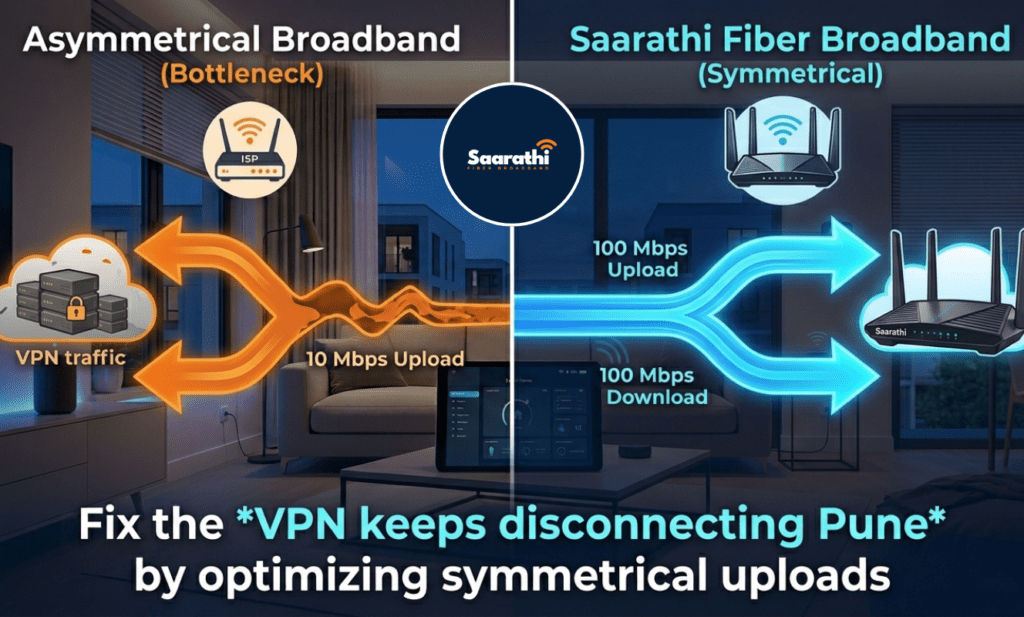
What happens: For example, you can stream Netflix in 4K without a single glitch. However, the moment you share your screen on Microsoft Teams, your connection crashes completely.
The technical reality: In general, streaming movies only requires download speed. Conversely, running a secure corporate network requires massive upload speed. Specifically, Virtual Private Networks (VPNs) actively encrypt every single packet of data leaving your laptop. Consequently, this heavy encryption increases your data size by roughly 20%.
Unfortunately, most generic ISPs in East Pune use asymmetrical routing. They proudly advertise 100 Mbps download speeds on their flyers. Meanwhile, they quietly restrict your upload speed to a miserable 10 Mbps. Whenever your encrypted video feed hits that tiny upload limit, packets drop. Therefore, your corporate security software assumes the connection is compromised and immediately kicks you offline.
2. The 5G Wireless Nightmare (CGNAT Issues)
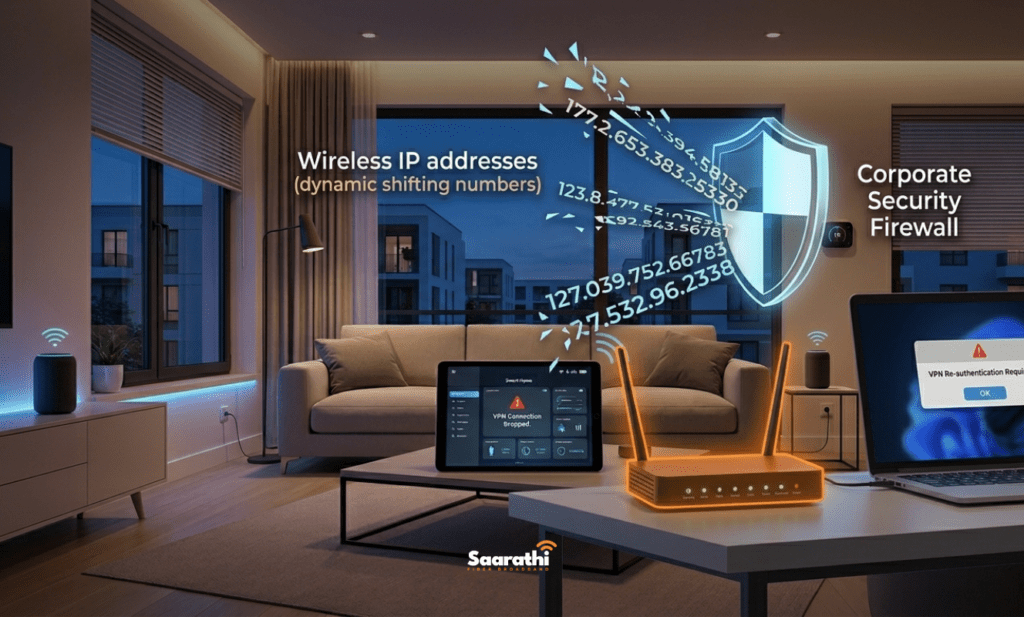
What happens: Typically, you recently bought a plug-and-play 5G wireless box to avoid messy cable wiring. Now, your secure portals constantly force you to log back in every thirty minutes.
The technical reality: Fundamentally, wireless telecom boxes rely on cellular towers. Specifically, cellular networks utilize Carrier-Grade NAT (CGNAT) to share IP addresses among thousands of users simultaneously. As a result, your external IP address changes constantly in the background.
Unsurprisingly, corporate security firewalls despise dynamic IP shifting. Your company’s IT department expects your laptop to communicate from a single, stable location. Whenever your 5G box suddenly shifts your IP address to a different local cellular node, the corporate firewall perceives a security threat. Thus, it terminates your session instantly. Ultimately, this is the primary reason why your VPN keeps disconnecting Pune on wireless setups.
3. Bufferbloat from Family Devices
What happens: Usually, your morning meetings run perfectly. However, your afternoon calls become an absolute disaster of robotic audio and frozen frames.
The technical reality: First, your kids come home from school and start watching YouTube. Meanwhile, your spouse streams music in the kitchen. Suddenly, your cheap default router panics.
Basically, this phenomenon is called “bufferbloat.” Basic routers cannot prioritize traffic properly. Instead, they place your critical encrypted corporate data in the exact same queue as your kid’s gaming data. Whenever the queue gets too long, the router simply drops your work data to catch up. To solve this, you absolutely need a router featuring Quality of Service (QoS) protocols to prioritize your work laptop above all other household devices.
The Professional Solution: Why You Need Saarathi Fiber Broadband

Simply put, you cannot run a highly secure corporate pipeline on shared, asymmetrical residential infrastructure. If you want to stop the daily tech frustration, you must upgrade your physical foundation.
Fortunately, this is precisely where Saarathi Fiber Broadband dominates the East Pune market. We specifically engineered our network for heavy IT professionals in Wagholi, Kharadi, and Lohegaon.
Saarathi Fiber Broadband’s Edge for IT Workers:
- True Symmetrical Speeds: Most importantly, if you pay for 100 Mbps, you get 100 Mbps download and 100 Mbps upload. Consequently, your encrypted data will never hit a bottleneck again.
- Dedicated Optical Fiber: Additionally, we provide pure physical cables directly into your flat. Thus, we bypass the cellular tower congestion that plagues wireless boxes.
- Premium Hardware: Furthermore, our long-term plans include commercial-grade dual-band routers capable of handling massive device loads without suffering from bufferbloat.
Check Saarathi Fiber Broadband availability in your society here and fix your home office permanently.
How to Fix Your WFH Network (A 3-Step Guide)
If you have an important meeting in twenty minutes, follow this rapid triage plan.
Step 1: Ditch the WiFi (Cost: ₹300)
First, purchase a Cat6 Ethernet cable from a local shop. Next, plug your work laptop directly into your internet router. Because WiFi signals naturally fluctuate, Ethernet provides a guaranteed, stable pipeline directly to your modem. Undoubtedly, this one step solves 50% of all disconnection issues.
Step 2: Audit Your True Speeds (Cost: Free)
Initially, disconnect from your corporate network temporarily. Then, open Fast.com and click the “Show more info” button. Specifically, look strictly at your “Upload” speed and your “Loaded Latency.” If your upload sits below 20 Mbps, or your latency spikes above 50ms, your current ISP plan is failing you.
Step 3: Upgrade to Symmetrical Fiber (Cost: Varies)
Finally, stop suffering through dropped calls. Instead, contact a dedicated local provider like Saarathi Fiber Broadband. Specifically, request a symmetrical fiber plan specifically designed for heavy remote work.
FAQ About WFH Networks

Standard browsing masks minor network drops. Netflix simply buffers video ahead of time to hide unstable connections. Conversely, secure tunnels require absolute real-time perfection. A micro-drop of 2 seconds ruins a secure session, even if you never notice it while browsing Instagram.
Sometimes. Upgrading to a premium dual-band router certainly helps manage household traffic better. However, a brilliant router cannot fix a terrible base connection. If your ISP throttles your upload speed, expensive hardware remains useless.
Yes, absolutely. Many corporate firewalls whitelist specific IP addresses for maximum security. A static IP address never changes, ensuring your company server always recognizes your exact location. Saarathi Fiber Broadband offers static IP options for advanced IT users.
For a single user doing basic tasks, 50 Mbps works fine. However, if you utilize heavy security encryption, transfer large database files, or share your connection with family members, you should strictly aim for 100 Mbps symmetrical speeds.
Tired of blaming your IT department? Read our guide on Fiber vs 5G Wireless in East Pune to understand exactly what hardware belongs in your apartment.