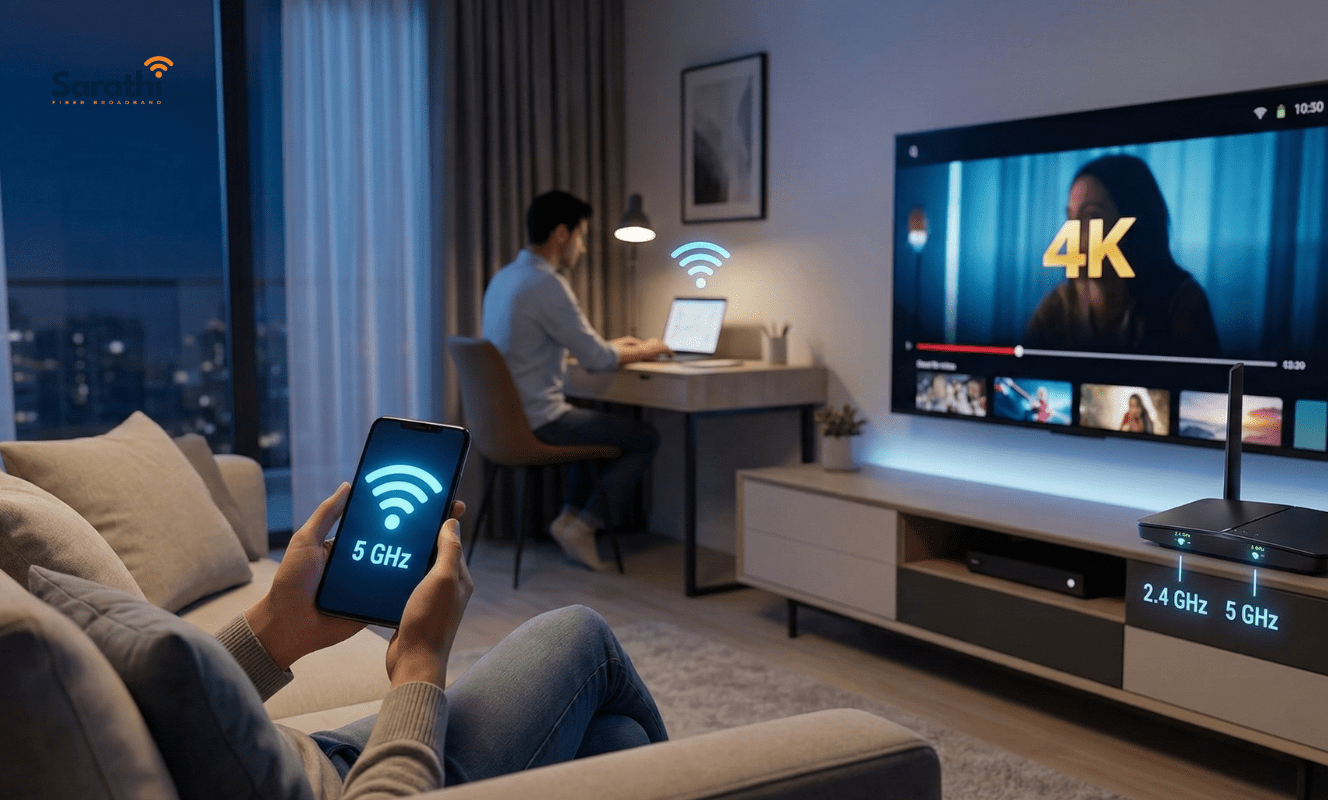
Quick Summary: Which Router is Better?
When choosing between single band and dual-band routers in Wagholi, dual-band is always the superior choice for modern homes.
- Single Band (2.4 GHz): Good for long distances through walls, but offers slower speeds and suffers from massive interference from neighboring flats.
- Dual-Band (2.4 GHz + 5 GHz): Provides two separate networks. The 5 GHz band delivers ultra-fast speeds for 4K streaming and gaming, while the 2.4 GHz band covers distant rooms.
Sarathi Fiber highly recommends and provides high-performance dual-band routers for seamless, buffer-free connectivity.
The Secret Culprit Behind Slow WiFi
Moving into a spacious new apartment in East Pune is incredibly exciting. However, realizing your internet does not reach the master bedroom is deeply frustrating. Many residents blame their ISP when their videos buffer, but the real culprit is usually outdated hardware. If you want to eliminate dead zones permanently, upgrading to the best dual-band routers in Wagholi is the fastest solution.
If you live in a dense residential society along Porwal Road or Pathare Wasti, you are surrounded by hundreds of invisible wireless signals. Consequently, your home network constantly fights through massive digital traffic. To solve this, you need to understand the technology broadcasting your signal. In this guide, we will break down the exact differences between single band and dual-band routers in Wagholi. Furthermore, we will help you decide which device your home truly needs to eliminate dead zones forever.
Understanding the Basics: What Are WiFi “Bands”?
Think of a WiFi band as a massive digital highway. Your router uses this invisible highway to send data to your smartphone, laptop, and smart TV.
Historically, older routers only had one highway available to them. Today, modern technology provides two separate highways. Understanding how these distinct pathways operate is the key to maximizing your daily internet speed.
The Single Band Router (2.4 GHz)
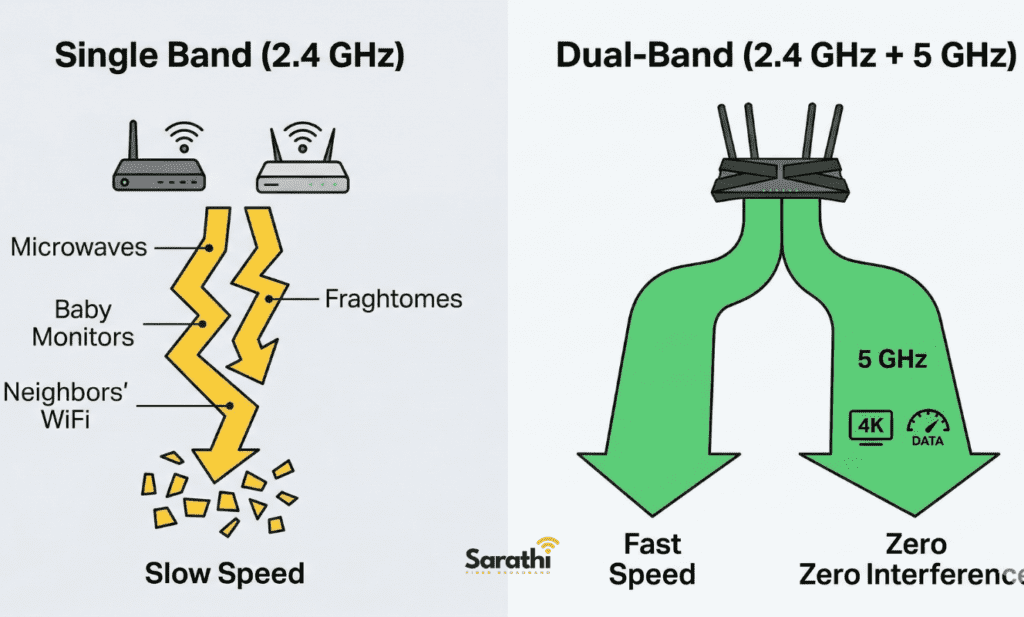
A single band router operates exclusively on the 2.4 GHz frequency. This is the original, older standard for wireless internet.
- The Advantage: The 2.4 GHz frequency uses longer waves. Therefore, it is excellent at penetrating solid brick walls and heavy doors. It travels very far.
- The Disadvantage: Because it is an older technology, it is incredibly crowded. Your microwave, Bluetooth speakers, baby monitors, and every single one of your neighbors’ routers all use this exact same crowded frequency.
The Dual-Band Router (2.4 GHz + 5 GHz)
As the name suggests, dual-band routers broadcast two completely separate wireless networks simultaneously. You get the standard 2.4 GHz highway, plus a brand new, high-speed 5 GHz express lane.
- The Advantage: The 5 GHz band is massive, fast, and completely free of clutter. It easily handles heavy tasks like 4K streaming or competitive gaming without breaking a sweat.
- The Disadvantage: The 5 GHz waves are much shorter. Consequently, they struggle to pass through multiple thick concrete walls.
Why Do You Need Dual-Band Routers in Wagholi?
You might wonder if upgrading your hardware is actually necessary. For residents living in East Pune, the answer is an absolute yes. Here are three critical reasons why investing in dual-band routers in Wagholi is mandatory for a smooth digital life.
1. Beating Apartment Congestion
Consider the large residential complexes near Wagheshwar Nagar or Adarsh Nagar. If you open your phone’s WiFi settings right now, you will probably see ten different neighbor networks.
If everyone uses a single band router, those wireless signals literally crash into each other. This creates massive interference, which slows down your internet speed to a crawl. Upgrading allows you to move your devices onto the empty 5 GHz express lane, completely bypassing your neighbors’ digital traffic jams.
2. Supporting Multiple Devices
Five years ago, a typical household only connected a couple of smartphones to the internet. Today, a standard family connects smart TVs, laptops, Alexa speakers, and security cameras simultaneously.
A single 2.4 GHz band simply cannot handle that much simultaneous data transfer. A dual-band setup acts like a highly efficient traffic cop. It automatically directs your smart home devices to the longer 2.4 GHz lane, while keeping your heavy-duty work laptops running smoothly on the blazing-fast 5 GHz lane.
3. Maximizing Your Fiber Plan
If you pay for a premium 100 Mbps or 200 Mbps fiber connection, a single band router physically cannot deliver those speeds over the air. It will bottleneck your expensive internet plan at around 40 to 50 Mbps. To actually experience the speed you pay for, a dual-band device is an absolute technical requirement.
How to Optimize Dual-Band Routers in Wagholi Flats
Even the best dual-band routers in Wagholi will struggle if you hide them improperly. To ensure your 5 GHz signal reaches your home office or living room seamlessly, follow these expert placement rules:
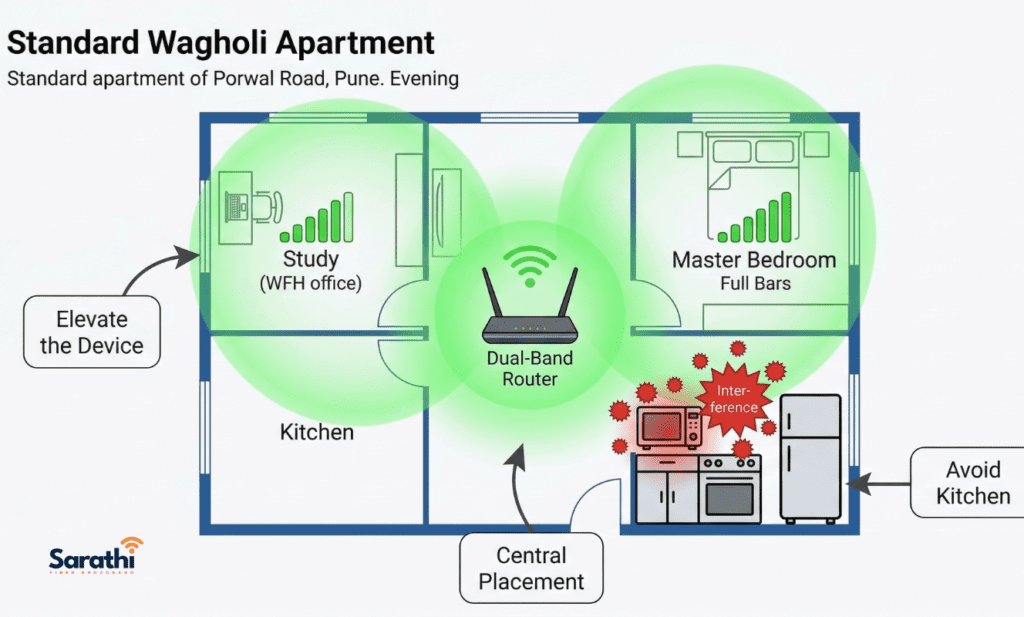
- Elevate the Device: Never place your router on the floor. Radio waves travel downward and outward. Place it on a high shelf or mount it clearly on a wall.
- Avoid the Kitchen: Kitchens are filled with metal appliances and microwaves. Metal entirely blocks wireless signals. Keep your device far away from refrigerators and ovens.
- Find the Center: Position the hardware as close to the absolute center of your flat as possible. If you place it near the front door, half of your signal is literally broadcasting out into the public hallway.
Why Sarathi Fiber Provides Dual-Band Routers in Wagholi
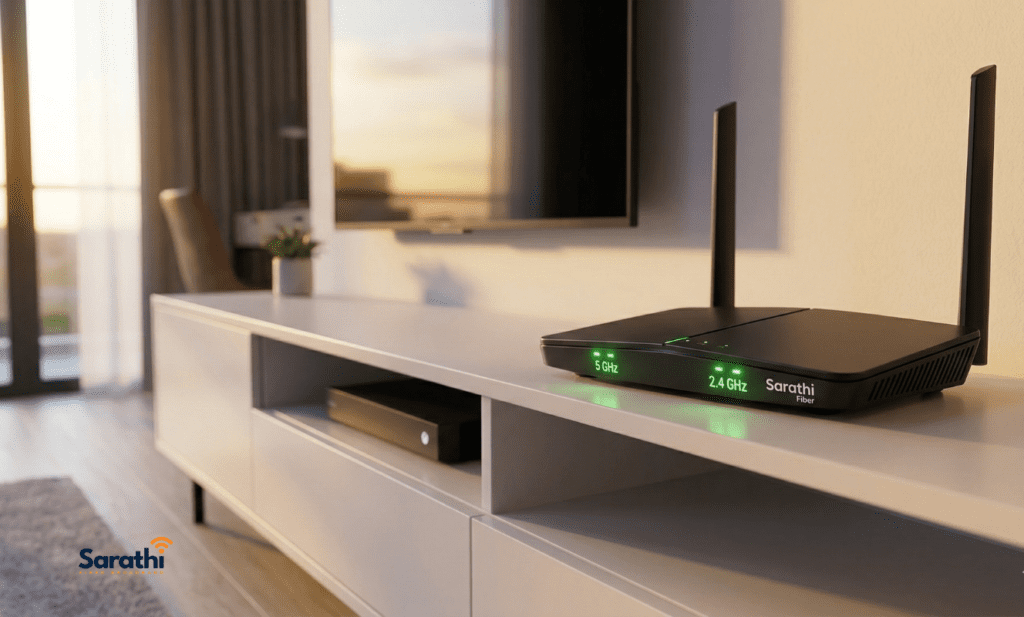
At Sarathi Fiber, we believe you should never pay for premium internet speeds only to be restricted by cheap, outdated hardware.
Many massive corporate ISPs still hand out basic, single band devices to their budget customers. We operate differently. When you sign up for our 6-month or 12-month advance plans, we provide a high-performance, commercial-grade dual-band router absolutely free of charge (with a fully refundable security deposit).
We proactively equip your home with the right technology from day one. Whether you are conducting crucial Zoom meetings or unwinding with a movie, our hardware ensures you receive every single megabit you deserve.
People Also Ask (FAQ)
Yes, absolutely. Because these devices broadcast both the 2.4 GHz and 5 GHz networks simultaneously, your older laptops or smart plugs will simply connect to the 2.4 GHz band without any issues.
If your provider gives you a basic single band unit, you should definitely buy your own. However, Sarathi Fiber provides premium dual-band routers with our long-term plans, saving you the hassle and expense of buying third-party hardware.
When you look at your available WiFi networks on your phone, you will usually see two names (e.g., “Home_WiFi” and “Home_WiFi_5G”). Simply tap the one labeled “5G” to connect to the faster express lane.
No. Better hardware cannot fix a bad internet line. If your provider is intentionally slowing down your speeds during peak evening hours, you must switch your broadband provider entirely to solve the issue.
Conclusion: Upgrade to Dual-Band Routers in Wagholi Today

Stop letting outdated technology ruin your daily internet experience. Understanding the crucial differences between these broadcast frequencies empowers you to take complete control over your home connectivity.
If you want to eliminate dead zones and buffering, demanding dual-band routers in Wagholi is the first step. Do not let apartment congestion or thick concrete walls dictate your digital lifestyle. Upgrade to the right hardware and experience the true power of your internet connection.
Ready to maximize your WiFi speed? Stop fighting with dead zones. Contact our local East Pune team today to secure a dedicated pure fiber connection complete with a high-performance dual-band router.
- 📞 Call / WhatsApp: +91 744 733 4222 / 8484 942 997
- 🌐 View Our High-Speed Plans: www.sarathifiber.com
Sarathi Fiber – Making your home network flawless.